Click the Legend button to edit Legend settings.
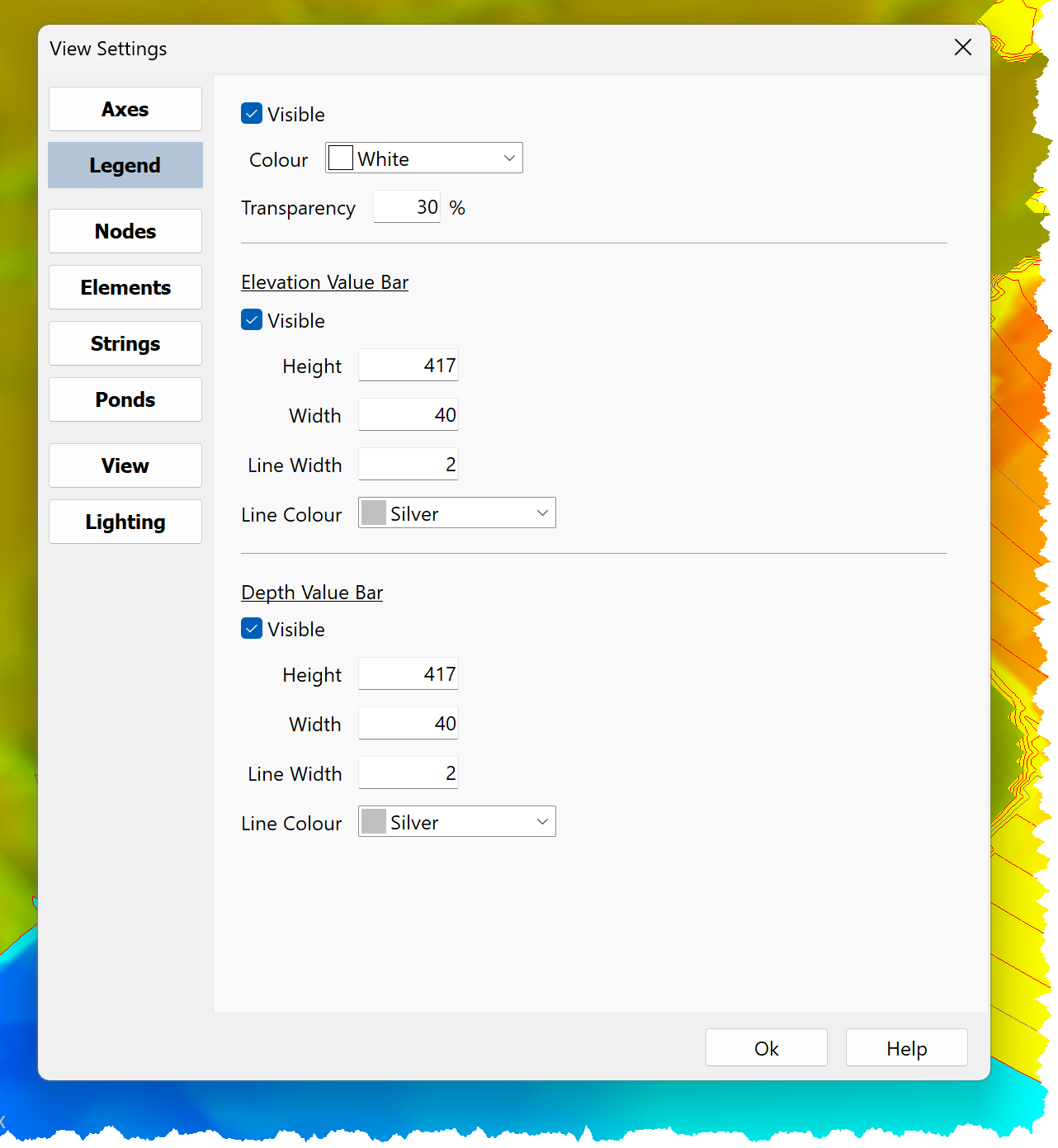
Legend setting comprise:
•Visible:
oIf checked, the Legend is displayed
oIf unchecked, the Legend is not displayed
•Colour:
oDefines the Legend background colour
oUse the Drop Down List to select the Legend background colour
•Transparency:
oDefines the Legend background transparency
oThe transparency range is 0% to 100%:
▪0%: The Legend is completely opaque
▪100%: The Legend is completely transparent
Settings are provided for both the Elevation and Depth Value Bars.
They comprise:
•Visible:
oIf checked, the Legend Value Bar is displayed
oIf unchecked, the Legend Value Bar is not not displayed
•Height:
oDefine the Value Bar Height
oThe Value Bar Height range is 25 to 500
•Width:
oDefine the Value Bar Width
oThe Value Bar Width range is 10 to 100
•Line Width:
oDefine the Value Bar Line Width
oThe Value Bar Line Width range is 0 to 10
•Line Colour:
oDefines the Value Bar Line colour
oUse the Drop Down List to select the Value Bar Line colour
Use DTM Environment Settings to define default settings for new Models.